

Tell your story in a photo book - personalised to your taste! With the software, you can design our products anytime, even without an internet connection, and save them securely. Be inspired by the unique variety of design options!


Special design functions

Many different design options
Templates And Layouts
Take advantage of the wide range of layouts and pre-designed book templates where you can simply insert your photos - of course, you can also further customise each page as desired.

Create More Pages
So much space for your most beautiful photo moments! In the large & XL formats, you have up to 202 pages available for photo books with premium paper. For Pixum photo books in the large & XL formats with photo paper, you can design up to 130 pages.

Perfect for your travel album
Individual Maps & Routes
Top feature for travel enthusiasts: Add map excerpts to your photo book and precisely mark the location where the photo was taken. You can even incorporate GPS routes and visualise the most beautiful routes of a hike or road trip.

Add Videos
Bring memories to life! Add amazing videos to your photo book, which can then be accessed and viewed on a mobile device via a QR code - simply magical.

Now even faster ande easier
Even More Magical!
With our assistant, designing is now even easier! It helps you with sorting, and provides design suggestions that you can customise as you like.

You Will Love It!
Customise the text on the book spine
Share your photo book with friends for free via a link
Organise your photos with automatic sorting
Individually design each greeting card with the Vario set
Insert stunning panoramic photos on double pages
All of this and much more awaits you in our Photo World software.
Further Tips

Reorder A Pixum Photo Book
You can easily reorder your Pixum photo book. In our tip, we will show you how straightforward the reordering process is.

Creating Photo Books For Beginners
Discover our beginner's guide to photo books with helpful and creative tips - step by step to your first photo book.
These Products Are Available In The Software



Chose The Pixum Photo World Software For Your Country
You can only order your Pixum product in the country where your billing address is located. The billing and shipping addresses can be different but must be in the same country. Additionally, you need to order your Pixum product using the software version specific to the country where the product will be delivered. It's best to ensure you download the correct version when initially downloading the software.
System Requirements
Our software is compatible with the following operating systems and versions:
Microsoft Windows (32/64 bit): Windows 8, Windows 10, and Windows 11.
Mac OS X: from 10.10 (Yosemite)
Linux: from Kernel 4.4.0 (requires library "libstc++.so.6.0.19 Version CXXABI_1.3.7").
Processor and Memory:
Intel-compatible processor with a clock speed of at least 1.4 GHz.
Minimum 2GB RAM.
For usage with video clips, we recommend a minimum clock frequency of 2 GHz and at least 2 GB RAM.
Storage Space:
Recommended storage space for installation is 450 MB, plus an additional 5 GB for project data. (A large Pixum photo book with 130 pages, background images, and 6 photos per page can consume up to 1.5 GB of storage.)
Internet Access:
Internet access is mandatory for software installation, as well as for automatic software and price list updates. You can also download additional design templates and backgrounds via the internet.
You can send your Pixum photo book order online and have it delivered directly to your home by mail.
Frequently Asked Questions About Our Software
The Easy & Fun Ways to your Photo Product
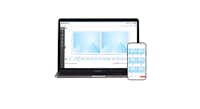
Online Editor

Pixum Photo World Software

Pixum App
Customer reviews: Pixum Photo Book
Reviews 1-5 of 120
Reviews 1-5 of 120

“Great quality product. As always, the customer service is excellent. I ordered the wrong book size and the team were very helpful in correcting it.”
“Very happy with my latest Pixum photo book celebrating my wife's 70th birthday with one picture for every year. Print quality is excellent even from rephotographed old b/w prints. And the service from the Pixum team is always helpful and friendly.”
“I love my book and really enjoyed putting it together. The quality is really good. In the beginning it took a little while to navigate the app but I soon got the hang of most of what it did but not all. I would have liked it to do a few more things such as the ability to place photos in shapes and clouds etc. I also think the price point is rather steep and probably would make more books if they weren?t so expensive.”
“Excellent quality of images and well made book”
“I think your product is excellent. I have learnt how the softwear works to my advantage and make lovely photo books. Zero complaints. However, a complaint: in the past the delivery has required me to be here and receive it, this time it was Amazon and they left it potentially in the rain on my drive.”